







1. Regularly Monitor Server Performance
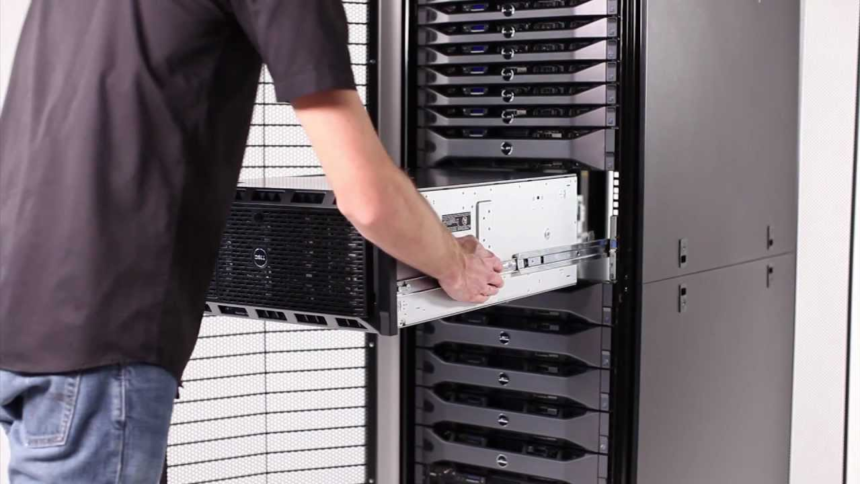
The first step to keeping your servers in top shape is to regularly monitor their performance. This involves checking key metrics such as CPU load, memory usage, network traffic, and disk space. By keeping track of these parameters, you can identify potential issues before they escalate into larger problems.
There are many tools available that help you monitor these metrics in real time. For example, tools like Nagios and Zabbix can give you detailed insights into how your servers are performing. Setting up automated alerts is also a good idea so that you’re notified when something goes wrong.
2. Optimize Your Server’s Cooling System
One of the most overlooked aspects of server maintenance is proper cooling. Servers generate a lot of heat, especially when they’re running demanding applications. Overheating can lead to hardware failure and reduced lifespan. Regularly cleaning your server’s cooling fans and ensuring proper airflow can prevent this issue. You should also consider investing in HP refurbished server options that come with updated and optimized cooling systems for better energy efficiency and longevity.
Another tip is to monitor your server room’s temperature. Ideally, it should be between 18-27°C (64-80°F) for optimal server performance. You may want to invest in air conditioning or specialized server room cooling units to maintain a stable environment.
3. Keep Your Software Updated
Server performance isn’t just about hardware; software plays a significant role as well. Keeping your operating system, security patches, and software applications up to date is essential to protect your servers from security vulnerabilities and ensure optimal functionality. Many server admins set up automatic updates for security patches, but it’s equally important to review your application updates regularly.
If you’re running a content management system, customer relationship management (CRM) software, or any other business-critical application, always check for updates from the vendor. Some updates improve server performance, add new features, and fix bugs that could slow down your server’s performance.
4. Backup Regularly
No matter how careful you are with server maintenance, there’s always the possibility of failure. Whether it’s due to a hardware malfunction, a cyberattack, or human error, losing important data can be catastrophic for any business. This is why it’s essential to have a solid backup strategy in place.
Regular backups—preferably automated ones—are the best way to protect your business data. Cloud storage services and external backup devices are excellent options. Additionally, you should store backup copies offsite to ensure they are safe in case of a disaster at your primary location.
A robust backup strategy also includes testing your backups periodically. Always verify that your backup files can be restored properly in the event of an emergency.
5. Invest in Quality Hardware
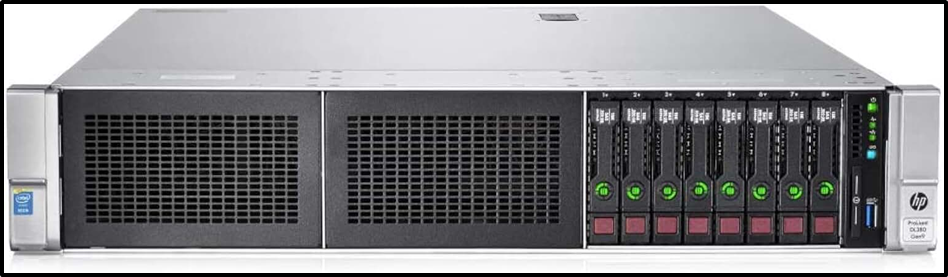
Another crucial aspect of server maintenance is investing in quality hardware. If you’re looking for an affordable yet reliable solution, used HP servers for sale can be a great option. These servers are often refurbished to a high standard, ensuring that they deliver solid performance without the hefty price tag of new models.
When selecting servers, look for those with sufficient processing power, memory, and storage capacity to handle your current and future business needs. It’s also a good idea to opt for servers that come with warranties, so you have peace of mind in case of hardware failure.

6. Implement a Disaster Recovery Plan
No one wants to think about the worst-case scenario, but it’s important to have a disaster recovery plan (DRP) in place. A disaster recovery plan ensures that, in the event of a server failure or cyberattack, your business can quickly recover and minimize downtime.
The key to a successful DRP is preparation. Ensure that all team members are trained on what to do in case of an emergency. Create a step-by-step recovery process, including contact information for key personnel and third-party vendors, and keep critical files backed up both locally and in the cloud.
7. Perform Routine Security Audits
In today’s digital landscape, server security is more important than ever. Hackers are always looking for vulnerabilities to exploit, and a breach in your server’s security can lead to data theft, financial loss, and reputation damage.
Regular security audits can help you identify and address vulnerabilities in your system. During a security audit, ensure that you’re using strong encryption methods for data storage and transmission, that your firewall settings are properly configured, and that only authorized personnel have access to sensitive data.
Additionally, implement multi-factor authentication (MFA) for all server-related logins and ensure that all users follow best practices for password management. Regularly review user access permissions and revoke access for employees who no longer need it.
8. Manage Your Server’s Network Traffic
High network traffic can slow down your server, especially if multiple users are accessing the same resources. Managing your server’s bandwidth effectively can help reduce latency and improve overall performance.
A common strategy for optimizing network traffic is to use load balancing. This distributes traffic across multiple servers, ensuring that no single server is overwhelmed. Load balancing improves uptime and provides redundancy in case one server fails.
Another helpful approach is to implement a content delivery network (CDN). A CDN caches content in multiple locations, allowing users to access it from the nearest server. This reduces latency and speeds up content delivery, especially for businesses with a global customer base.
9. Consider Virtualization
Server virtualization allows you to run multiple virtual servers on a single physical machine, reducing the need for physical hardware and increasing the efficiency of your server resources. Virtualization enables better utilization of hardware resources, reduces energy consumption, and simplifies server management.
It’s particularly useful for businesses that need to run multiple applications or support a growing number of users. You can also create virtual machines for testing purposes, ensuring that any software or updates don’t affect your primary production server.
Conclusion
Maintaining and optimizing your business servers is essential to ensuring that your operations run smoothly, securely, and efficiently. Regular monitoring, software updates, cooling, and data backups are all key components of a good server maintenance strategy. And don’t forget the importance of investing in reliable hardware, as well as considering cost-effective alternatives for your growing business.
If you’re feeling overwhelmed by server maintenance or need expert advice, consider partnering with a trusted IT service provider like Cloud Ninjas. With their expertise, you can ensure that your servers are well-maintained, optimized for performance, and secure, helping you focus on what matters most—running your business.